
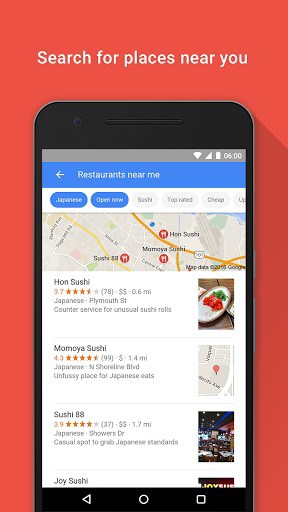

– Nearby stores and restaurants
– Live sports scores and schedules
– Movies times, casts, and reviews
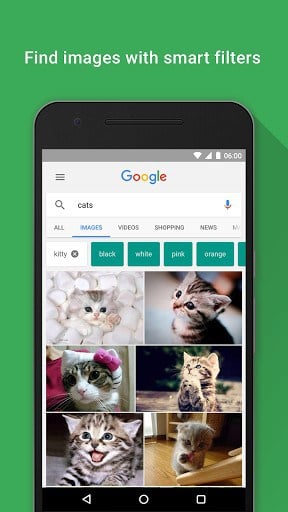
– Videos and images
– News, stock information, and more
– Anything you’d find on the webPersonalized feed and notifications*:
– Start your morning with weather and news
– Get updates on sports, movies, and events
– Track the latest stock market changes
– Get info and updates about your interests
Unstable connection?
– Google will automatically optimize results to improve loading on bad connections
– If Google cannot complete a Search, you’ll get a notification with the search results once you regain connection
Learn more about what the Google app can do for you: http://www.google.com/search/about
*features might not be available in all countries
What’s New
– Improved look and feel of the search page
– New doodles are designed for in-app experience
– Offline voice actions (play music, turn on wifi, turn on flashlight) (*Available in US only)
– Web pages open directly inside the app
Additional information
com.google.android.googlequicksearchbox
6.15.24.16.arm
42.86 MB
1,000,000,000+ downloads
Google Inc.






Frequently Asked Questions
Is the Google APK free to download?
Yes, the Google app is completely free to download and use. You can download the APK from AppsApk.com at no cost.
What can I do with the Google app?
The Google app lets you search and browse nearby stores and restaurants, check live sports scores and schedules, find movie times and reviews, search videos and images, and access news and stock information. It also provides a personalized feed with weather, news, sports updates, and notifications about your interests.
How do I download the Google APK?
You can download the Google APK directly from AppsApk.com. Click the download link on the app page, and the APK file will be downloaded to your device. You can then install it by opening the file and following the on-screen instructions.
Does the Google app work on unstable connections?
Yes, the Google app automatically optimizes search results to improve loading on bad connections. If Google cannot complete a search due to poor connectivity, you'll receive a notification with the search results once you regain connection.
What are the recent improvements in the Google app?
Recent updates to the Google app include an improved look and feel of the search page, new doodles designed for in-app experience, offline voice actions like playing music or turning on Wi-Fi (available in the US), and the ability to open web pages directly inside the app.
Who developed the Google app?
The Google app was developed by Google Inc., one of the world's leading technology companies. The app is designed to provide you with personalized search results and information about topics that matter to you.
So good
this an Android app
its better to use it correctly
(dont misuse)
i am always thankfull to google and its services.
it may be the teacher who clear the doubts of future generations.
great apps by google.
it provide my photo in google search.
google+ and hangout is great app.
My DataWind Tablet is not cooperating to download Google+ & Google play store. But afterall Google is Google. I like it very very mutch.
It is very suite for me
NICE