

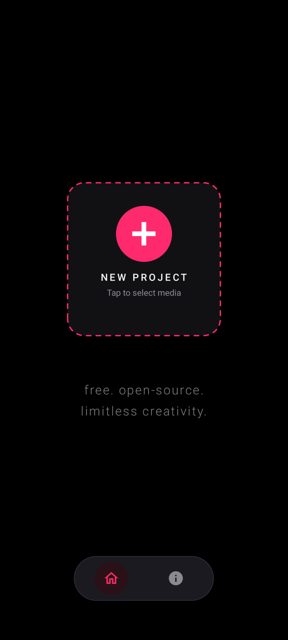
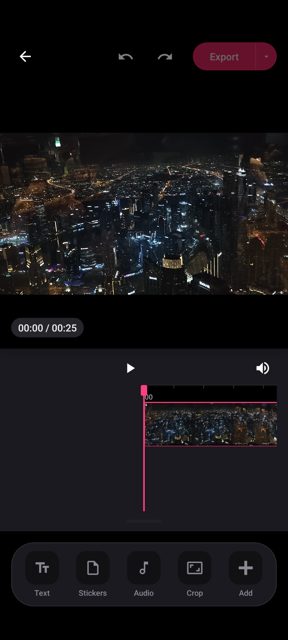
LibreCuts is a free, open-source video editor for Android that lets you trim, merge, and polish your clips entirely on your device. It is built for people who want a capable editor without watermarks, ads, or their footage leaving their phone.
Developer: tharunbirla · License: MIT (open source) · Price: Free
Official file from the developer's release · Aug 17, 2026 · SHA-256 cabdf4356fef9df2…
Screenshots
Key features
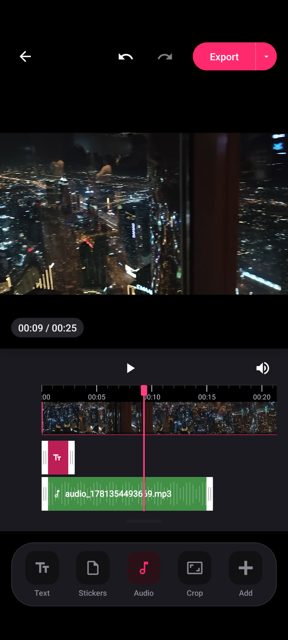
- Trim, merge, crop, speed up, reverse, and apply transitions, filters, and color adjustments to your clips
- Add text, stickers, images, GIFs, and video overlays with masking, chroma key (green screen), and keyframe animation
- Import .srt subtitle files with resizing and touch-based positioning on the preview
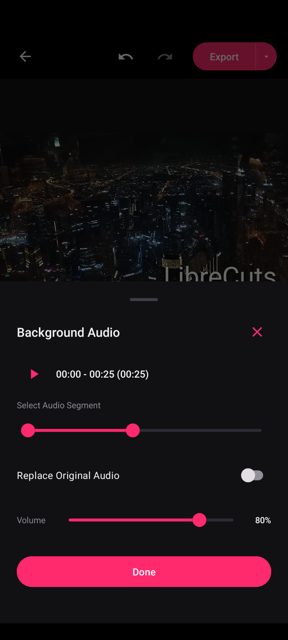
- Manage audio with custom music, voice-over recording, ducking, fades, volume boost up to 200%, and MP3 export
- Save non-destructive project files (.lcprj) so you can reopen and keep editing later, plus hardware-accelerated exports
Why isn’t LibreCuts on Google Play?
LibreCuts is published by its developer on GitHub and is also available on F-Droid, but it is not distributed on Google Play.
Is LibreCuts safe?
LibreCuts is open source under the MIT license, and the APK on this page comes from the developer's official GitHub releases, the same source used by F-Droid. It asks for storage and media permissions to read your videos and save your edits, plus a notifications permission for export progress, and this release is tagged beta so you may run into the occasional bug. LibreCuts comes straight from its developer rather than through Google Play, so it hasn’t gone through Google’s app review. As with any app, check the permissions it asks for and install it if you’re comfortable with them.
How to install
- Tap the download button above: the APK file downloads straight to your phone.
- When Android asks, allow your browser to install unknown apps.
- Open the file and tap Install.
FAQ
Is LibreCuts free?
Yes. It is free and open source under the MIT license. The developer accepts optional support through GitHub Sponsors, Patreon, or Ko-fi, but the app itself has no cost.
Does LibreCuts add a watermark to exported videos?
No. The README describes it as a video editor that lets you export watermark-free videos.
Can I install LibreCuts outside Google Play?
Yes. You can download the APK from the GitHub releases page, get it from F-Droid, or set it up through Obtainium for automatic updates.
Does LibreCuts send my videos anywhere?
No. It is described as a privacy-friendly editor that works locally on your device, and it only needs standard storage and media permissions to read and save your files.
More free apps you won’t find on Google Play: Open Source Apps · Best Android apps not on the Google Play Store.






Frequently Asked Questions
Is LibreCuts free?
Yes. It is free and open source under the MIT license. The developer accepts optional support through GitHub Sponsors, Patreon, or Ko-fi, but the app itself has no cost.
Does LibreCuts add a watermark to exported videos?
No. The README describes it as a video editor that lets you export watermark-free videos.
Can I install LibreCuts outside Google Play?
Yes. You can download the APK from the GitHub releases page, get it from F-Droid, or set it up through Obtainium for automatic updates.
Does LibreCuts send my videos anywhere?
No. It is described as a privacy-friendly editor that works locally on your device, and it only needs standard storage and media permissions to read and save your files.













Leave a Comment