
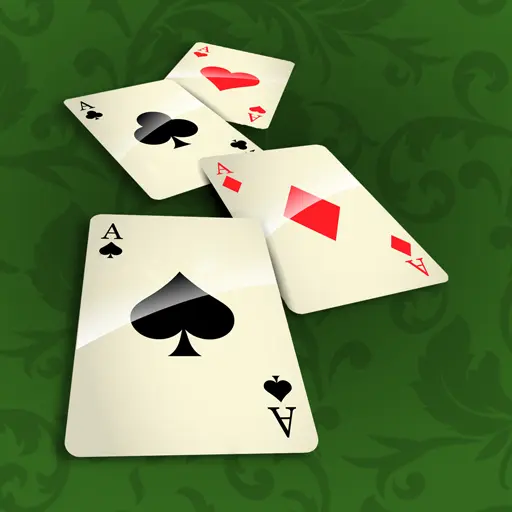
Are you the developer of Solitaire: Classic Klondike? Claim this page · free

Solitaire: Classic Klondike is a card game from Rebrik Games, TOO. Relax with Classic Solitaire. Easy to read cards & brain training puzzles. It currently holds a 4.1-star rating on Google Play, based on 18,298 user reviews.
App Details
| Developer | Rebrik Games, TOO |
|---|---|
| Content Rating | Rated for 3+ |
| Installs | 1M+ |
| Rating | 4.1 / 5 (18,298 reviews) |
| Updated | Oct 23, 2026 |
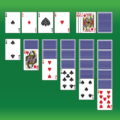
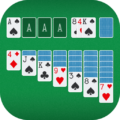
Screenshots


About Solitaire: Classic Klondike
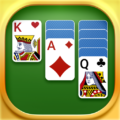
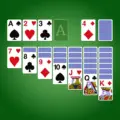
Solitaire: Classic Klondike by Rebrik Games offers a traditional solitaire card game experience designed for relaxation and mental exercise. The app features easy-to-read cards and brain training puzzles. With over 1 million installations and a 4.1-star rating from nearly 18,300 user reviews, it's a well-established card game option. The game is free to play and rated for ages 3 and up, making it accessible to a broad audience.
Solitaire: Classic Klondike pros and cons
Pros
- Free to download and play
- High user rating of 4.1 stars with 18,000+ reviews
- Over 1 million installations
- Suitable for ages 3+
- Easy-to-read card design
Cons
- No file size or minimum Android version listed
- Single-game-mode focus (classic Klondike only)
Solitaire: Classic Klondike specifications and compatibility
The build on this page was last refreshed on Oct 23, 2026. Google Play classifies the content as Rated for 3+.
How to install the Solitaire: Classic Klondike APK
- Allow installs from unknown sources. On your Android device, open Settings, then Security (or Apps > Special app access > Install unknown apps), and allow installs from the browser or file manager you will use to open the APK file.
- Download the APK. Tap the Download Now button on this page to fetch the Solitaire: Classic Klondike APK file to your device.
- Open the downloaded file. Open your Downloads folder, or tap the download notification, then tap the .apk file to start the installer.
- Install and open Solitaire: Classic Klondike. Tap Install, wait for the installation to finish, then tap Open to launch Solitaire: Classic Klondike.
Browse more Card apps, similar to Gin Rummy Classic: Card Game.
Frequently asked questions
Is Solitaire: Classic Klondike free to download?
Yes, Solitaire: Classic Klondike is available as a free download on Google Play and as a free APK on this page.
How many people have downloaded Solitaire: Classic Klondike?
Solitaire: Classic Klondike has been downloaded 1M+ times from Google Play, putting it among the more widely adopted card games in its category.
Is the Solitaire: Classic Klondike APK safe to install?
We check every APK we host: we verify its digital signature and scan it on VirusTotal with 70+ antivirus engines, and we withhold files flagged as harmful. The result and scan date for this file are in the safety box at the top of this page. It carries the Rated for 3+ content rating Google assigns on Play.

Are you the developer of Solitaire: Classic Klondike? Claim this page · free
Top 10 Card games this week See all ›
 Doki Doki Fate Card
 IE GAME Pro
 Disney Solitaire
 Грань Сознания
 Đậu Nhỏ Nổi Giận
 UNO Wonder
 Monster Collector: Card Battle
 Thulla Masters: Bhabhi
 NARUTO: Ninja Cards
 DICEOMANCER
On sale today All deals ›
 Defense Zone 3 Ultra HD
 Water Sort - Color Puzzle Pro
 Words Search - Word Puzzles
 Epic Heroes War Premium
 Pixel Blade M VIP
 Stickman Legends Offline Games
 Extreme Job Hero's Manager VIP
 Cooking Kawaii - cooking games
 Dead God Land - Light Survival
 Soul Evolve: Epic Fantasy Hero













Leave a Comment