
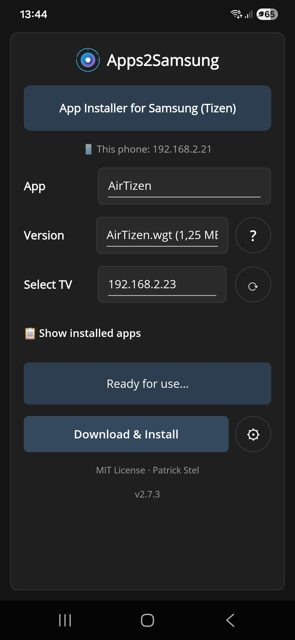
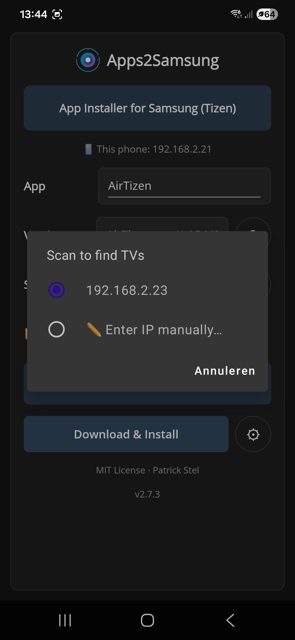
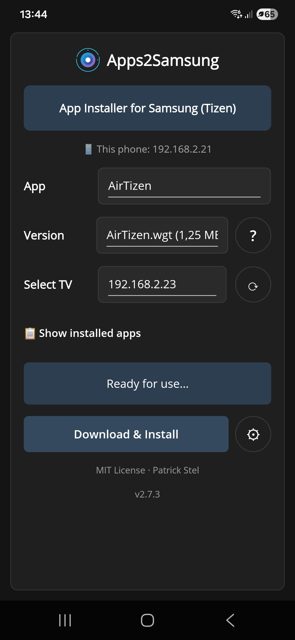
Apps2Samsung is a one-click app installer for Samsung TVs, projectors and smart monitors that run Tizen OS. It handles the TV side-loading process, finding your TV, making a signing certificate, and installing apps, so you never have to touch Tizen Studio.
Developer: Apps2Samsung · License: MIT (open source) · Price: Free
Before you start: put your Samsung TV into Developer Mode (see the project's wiki FAQ for the exact steps for your TV), and make sure your phone or computer is on the same network as the TV. Orsay-based Samsung TVs from before 2015 are not supported.
Official file from the developer's release · Oct 28, 2026 · SHA-256 f0d1691c46d871d3…
Screenshots
Key features
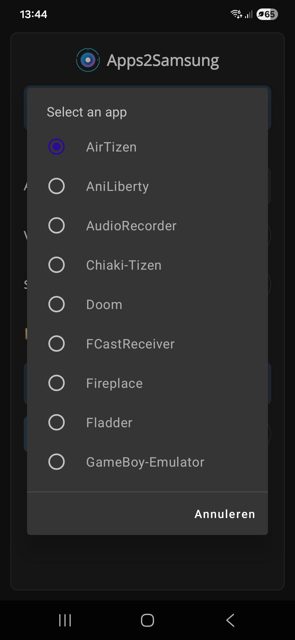
- Install from a community catalog of 130+ apps including Jellyfin, Moonfin, Litefin and TizenTube, or your own .wgt or .tpk file
- Finds your TV on the network and tells you exactly what's wrong if it isn't ready (Developer Mode off, wrong Host PC IP, restart needed)
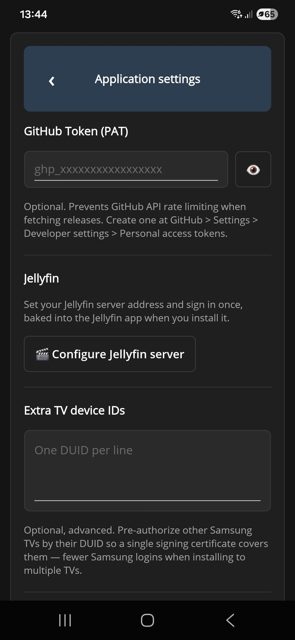
- Handles the Samsung signing certificate automatically, one sign-in reused for every install after
- Manages installed apps: shows newer catalog versions, updates in one click, launches, uninstalls, and debugs via chrome://inspect
- Doubles as a TV remote with D-pad, playback, volume and keyboard typing, no Developer Mode needed for that part
- Add your own sources (a GitHub repo, release, direct file link or .json feed) to the catalog
Why isn’t Apps2Samsung on Google Play?
It is published by its developers on GitHub, not on Google Play, and is not listed on F-Droid either.
Is Apps2Samsung safe?
Apps2Samsung is open source under the MIT License. Download the APK directly from the GitHub Releases page, or use Obtainium or an F-Droid-compatible store (F-Droid, Droid-ify, Neo Store) pointed at the project's own repo for automatic updates. The app needs local network access to find your TV, and some catalog apps carry a root badge that asks for confirmation before installing. Apps2Samsung comes straight from its developer rather than through Google Play, so it hasn’t gone through Google’s app review. As with any app, check the permissions it asks for and install it if you’re comfortable with them.
How to install
- Tap the download button above: the APK file downloads straight to your phone.
- When Android asks, allow your browser to install unknown apps.
- Open the file and tap Install.
FAQ
Is Apps2Samsung free?
Yes. It is open source under the MIT License and free to use. The developer accepts optional support through Ko-fi.
How do I install Jellyfin on my Samsung TV with this app?
Put the TV in Developer Mode, open Apps2Samsung on your phone or computer and select the TV, then pick Jellyfin from the catalog and press Install. The first install signs you in to Samsung once to create a certificate, which is reused afterward.
Does Apps2Samsung work on Android TV or only Samsung TVs?
It is built for Samsung devices running Tizen OS: Smart TVs, projectors and smart monitors. It does not install apps on Android TV devices; the Android, Windows, Linux, macOS and iPhone (beta) versions are the companion apps you run to push apps onto a Tizen TV.
Can I use this without a Samsung account?
Mostly a Samsung sign-in is used once to create the signing certificate for installs. The README also mentions an alternative: a Tizen certificate from the SDK's own CA, which needs no Samsung account at all.
More free apps you won’t find on Google Play: Open Source Apps · Best Android apps not on the Google Play Store.






Frequently Asked Questions
Is Apps2Samsung free?
Yes. It is open source under the MIT License and free to use. The developer accepts optional support through Ko-fi.
How do I install Jellyfin on my Samsung TV with this app?
Put the TV in Developer Mode, open Apps2Samsung on your phone or computer and select the TV, then pick Jellyfin from the catalog and press Install. The first install signs you in to Samsung once to create a certificate, which is reused afterward.
Does Apps2Samsung work on Android TV or only Samsung TVs?
It is built for Samsung devices running Tizen OS: Smart TVs, projectors and smart monitors. It does not install apps on Android TV devices; the Android, Windows, Linux, macOS and iPhone (beta) versions are the companion apps you run to push apps onto a Tizen TV.
Can I use this without a Samsung account?
Mostly a Samsung sign-in is used once to create the signing certificate for installs. The README also mentions an alternative: a Tizen certificate from the SDK's own CA, which needs no Samsung account at all.













Leave a Comment