
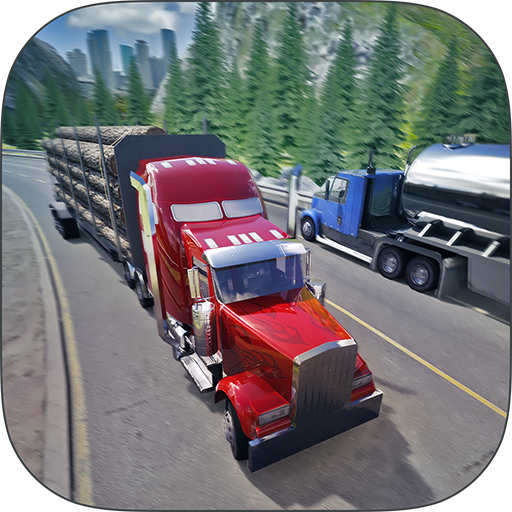

Truck Simulator PRO 2016 is a simulation game from Mageeks Apps & Games. ** LAUNCH SALE! — NOW 30% OFF **. It currently holds a 4.5-star rating on Google Play, based on 29 user reviews.
App Details
| Developer | Mageeks Apps & Games |
|---|---|
| Version | 1.5.1 |
| Size | 24 MB |
| Requires Android | API 9+ |
| Content Rating | Everyone |
| Installs | 838K+ |
| Rating | 4.5 / 5 (29 reviews) |
| Updated | Oct 12, 2015 |
Screenshots


About Truck Simulator PRO 2016
Truck Simulator PRO 2016 is a simulation game where you build a trucking empire across US cities. Drive various trucks, manage fuel and fatigue, deliver cargo on time, hire drivers, and unlock new missions. The game features realistic collision physics, truck customization, open-world exploration, and global leaderboards. Currently on launch sale with 30% off. Rated 4.55 stars from 29 reviews with 838K+ installs.
Truck Simulator PRO 2016 pros and cons
Pros
- Well-rated at 4.55 stars
- Lightweight at 24 MB file size
- Compatible with older Android versions (API 9+)
- Free to play with launch sale discount
- Multiple gameplay features including hiring, customization, and global rankings
Cons
- Limited review count (29 ratings) for popularity claims
- Single-genre simulation scope may limit appeal
- Older Android minimum requirement suggests less frequent updates
Truck Simulator PRO 2016 specifications and compatibility
The current build is version 1.5.1. The developer last updated it on Oct 12, 2015. The download size is 24 MB. That installs quickly even on a moderate mobile connection. Compatibility starts at API 9+. That covers most phones and tablets in active use. Google Play classifies the content as Everyone.
How to install the Truck Simulator PRO 2016 APK
- Allow installs from unknown sources. On your Android device, open Settings, then Security (or Apps > Special app access > Install unknown apps), and allow installs from the browser or file manager you will use to open the APK file.
- Download the APK. Tap the Download Now button on this page to fetch the Truck Simulator PRO 2016 APK file to your device.
- Open the downloaded file. Open your Downloads folder, or tap the download notification, then tap the .apk file to start the installer.
- Install and open Truck Simulator PRO 2016. Tap Install, wait for the installation to finish, then tap Open to launch Truck Simulator PRO 2016.
Browse more Simulation apps, similar to Jelly Master: Mukbang ASMR APK Download for Android 2026.
Frequently asked questions
Is Truck Simulator PRO 2016 free to download?
Yes, Truck Simulator PRO 2016 is available as a free download on Google Play and as a free APK on this page. The APK is the official, unmodified build pulled directly from the developer.
What Android version do I need to run Truck Simulator PRO 2016?
Truck Simulator PRO 2016 requires API 9+. Older devices below this version will not be able to install or run the app.
How many people have downloaded Truck Simulator PRO 2016?
Truck Simulator PRO 2016 has been downloaded 838K+ times from Google Play, putting it among the more widely adopted simulation games in its category.
Is the Truck Simulator PRO 2016 APK safe to install?
Yes. The APK on this page is the original, unmodified build from Mageeks Apps & Games, pulled directly from the Google Play Store with no third-party modifications. It carries the Everyone content rating Google assigns on Play.
How big is the Truck Simulator PRO 2016 APK?
The Truck Simulator PRO 2016 APK is 24 MB in size, which downloads quickly on most mobile and Wi-Fi connections.
What is the latest version of Truck Simulator PRO 2016?
The current build of Truck Simulator PRO 2016 is version 1.5.1, last updated by the developer on Oct 12, 2015. This page automatically tracks new releases as the developer ships them.





Leave a Comment