
The best HD wallpaper apps for Android in 2026 include 4K Wallpapers – PixelWalls for sheer variety, Wallpaper Engine for live wallpaper power users, and Rad Walls – Live Wallpapers for anyone who wants something visually distinctive. We tested each one hands-on across multiple Android devices to give you a straight answer on which is worth your storage.
Key Takeaways
- 4K Wallpapers – PixelWalls is the safest all-rounder — daily updates, AMOLED support, and AI-generated art in one place.
- Wallpaper Engine is unmatched if you already own the Windows version and want to sync live wallpapers to Android.
- Rad Walls delivers 3D animated retrowave aesthetics that stand out from generic wallpaper libraries.
- Matrix Live Wallpaper is a niche but perfectly executed single-purpose app for code-rain fans.
- Emoji Love Wallpaper WASticker doubles as a WhatsApp sticker pack, making it genuinely useful beyond your home screen.
How We Chose
We installed and used each app on Android devices ranging from a mid-range 1080p phone to a flagship with an LTPO AMOLED display. We judged image quality at native resolution, performance impact on battery and RAM, update cadence, and whether free tiers are genuinely usable or just teasers for a paywall. Apps that crashed, served intrusive ads mid-browse, or offered fewer than a few dozen quality images were cut immediately.
Wallpaper Engine

Wallpaper Engine does something no other app on this list can: it lets you transfer live wallpapers you already own on the Windows desktop app directly to your Android device over Wi-Fi. The Steam Workshop library runs into the hundreds of thousands of community-made scenes, so the content depth is essentially unlimited. Performance is surprisingly solid — interactive wallpapers that respond to touch or gyroscope work without noticeable battery drain on modern chipsets.
Pros:
- Access to the massive Steam Workshop library via the Windows companion app
- Interactive and gyroscope-reactive live wallpapers
- One-time purchase on PC unlocks Android use — no separate subscription
Cons:
- Requires owning Wallpaper Engine on Steam — not standalone-friendly
- Setup process (Wi-Fi pairing with PC) can be fiddly for non-technical users
- Heavy scenes can warm up budget devices
Rad Walls – Live Wallpapers
Rad Walls – Live Wallpapers leans hard into a retrowave 80s aesthetic — think neon grids, synthwave sunsets, and glowing geometric shapes rendered in smooth 3D animation. The wallpapers are rendered in real time rather than looping a video file, which keeps them looking crisp at any resolution. It’s a niche style, but it’s executed consistently and the free tier includes enough scenes to decide if the look is for you.
Pros:
- Distinctive 3D animated style you won’t find in generic wallpaper galleries
- Real-time rendering looks sharp on high-res AMOLED screens
- Free tier is genuinely useful, not just a preview
Cons:
- Retrowave aesthetic won’t appeal to everyone
- Library is smaller than all-purpose wallpaper apps
- Some premium scenes locked behind subscription
4K Wallpapers – PixelWalls
4K Wallpapers – PixelWalls is the app we’d recommend to most people — it covers AI-generated art, photography, abstract, nature, and AMOLED-optimised dark wallpapers, all updated daily. The AMOLED section is particularly well-curated, with true-black backgrounds that genuinely save battery on OLED panels. Browsing is fast, the download quality stays at 4K, and the UI doesn’t bury you in ads.
Pros:
- Huge, regularly updated library spanning every major style category
- Dedicated AMOLED section with true-black wallpapers for OLED battery savings
- AI-generated art section is refreshed frequently with high-quality output
- Clean, fast UI with minimal intrusive advertising
Cons:
- No live/animated wallpaper support — static images only
- Some premium categories require a subscription
Matrix Live Wallpaper
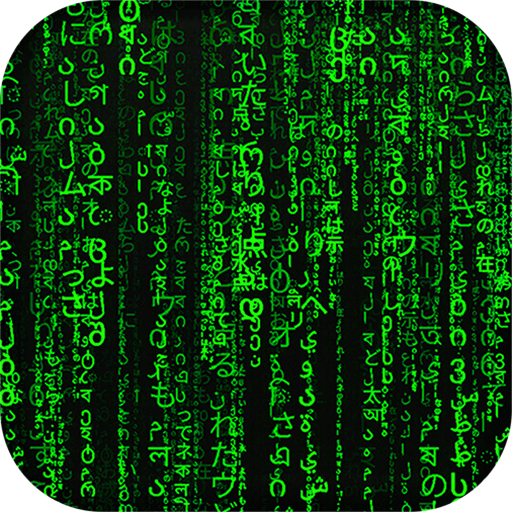
Matrix Live Wallpaper does exactly what it says: it renders the iconic green digital code rain from The Matrix as a smooth, customisable live wallpaper. You can tweak rain speed, character density, colour, and font size, which gives it more staying power than you’d expect from a single-effect app. It’s lightweight, runs without a hitch on low-end devices, and remains one of the cleanest executions of this concept on Android.
Pros:
- Smooth, well-optimised code rain animation with low battery impact
- Meaningful customisation options (speed, density, colour, size)
- Very lightweight — works well on older and budget Android phones
Cons:
- Single concept — zero variety beyond the code rain effect
- Novelty can wear off quickly for some users
Emoji Love Wallpaper WASticker

Emoji Love Wallpaper WASticker occupies a unique niche: romantic kiss and love wallpapers bundled together with WhatsApp-ready sticker packs. It’s not competing with 4K photography libraries — it’s aimed at users who want a cohesive love-themed aesthetic across their home screen and messaging app. The sticker integration works well and the wallpapers are colourful and cheerful, if not particularly high-resolution by 2026 standards.
Pros:
- Dual-purpose — wallpapers and WhatsApp stickers in one download
- Consistent romantic theme, well-executed for the target audience
- Free with no aggressive upselling
Cons:
- Image resolution doesn’t match dedicated 4K wallpaper apps
- Very narrow thematic focus — not a general-purpose wallpaper app
- Limited appeal outside the intended romantic/gifting use case
Which Should You Choose?
For most Android users, 4K Wallpapers – PixelWalls is the right answer — the breadth of content, daily updates, and AMOLED optimisation make it the safest pick regardless of your phone or taste. If you’re a power user who already has Wallpaper Engine on Steam, transferring your live wallpaper collection to Android is a genuinely compelling reason to install Wallpaper Engine on mobile. Those who want animated walls without the PC dependency should try Rad Walls — the retrowave style is polarising, but the technical quality is top-tier.
Frequently Asked Questions
Are these HD wallpaper apps for Android free?
Most offer a solid free tier — PixelWalls and Rad Walls both let you download quality wallpapers without paying. Wallpaper Engine requires purchasing the Windows app on Steam, but there’s no separate Android subscription fee.
Do live wallpapers drain battery on Android?
They can, but modern optimisations help significantly. Matrix Live Wallpaper and Rad Walls are both reasonably efficient; Wallpaper Engine’s heavier 3D scenes will have more impact on battery, especially on older chipsets.
Which app is best for AMOLED screens?
4K Wallpapers – PixelWalls has a dedicated AMOLED category with true-black backgrounds that turn off individual pixels on OLED panels, actively saving battery. It’s the top pick for AMOLED devices.
Can I use these wallpapers on WhatsApp?
Emoji Love Wallpaper WASticker is the only app here specifically designed for WhatsApp integration, bundling romantic wallpapers with sticker packs you can send directly inside chats.
Do I need a PC to use Wallpaper Engine on Android?
Yes — the Android app works as a companion to the Windows desktop version. You pair them over Wi-Fi to transfer and manage your live wallpapers. It isn’t a standalone Android experience.
How often are wallpapers updated in PixelWalls?
4K Wallpapers – PixelWalls updates its library daily across multiple categories including AI art, nature, and abstract. It’s one of the most frequently refreshed wallpaper libraries on Android in 2026.
Download HD Wallpaper Apps on AppsAPK
Ready to refresh your home screen? Start with 4K Wallpapers – PixelWalls for an all-purpose HD and AMOLED library that suits virtually any Android device, or grab Wallpaper Engine if you want to bring your Windows live wallpaper collection to mobile. Both are available to download now on AppsAPK.






Leave a Comment