

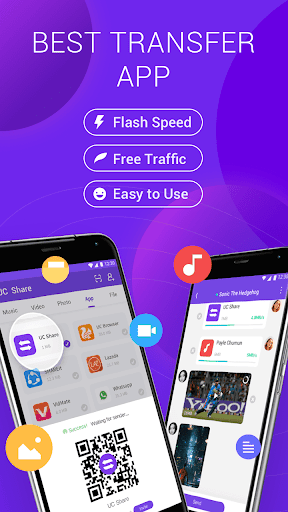

Average file transfer time cost at:
0.2 second for an image
1 second for a song,
22 seconds for a movie
Average file transfer speed at 5 MB/s and 21 MB/s at maximumFree Traffic
Share anytime, anywhere, without spending any traffic
No network limit, No cell phone signal limit
Easy to use and Connect
Choose friend’s icon to connect
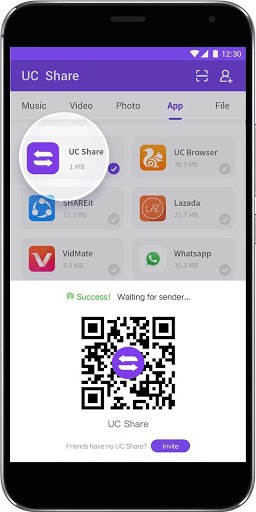
Scan friend’s QR code to connect
Choose from contact to connect
Easy to search file
Browser and search your favorite music, video, pictures files based on your settings, avoid repeating search and browse
View recent transferred files on friend’s profile
Easy to manage files and record
Quick access to file management on ME page
Quick access to managing your file transfer record on ME page
Customer Support
If you have any questions or suggestions regarding our product, you’re more than
welcome to reach out to us via email or user feedback. We will get back to you as soon as we can.
Thank you for choosing UC Share
More features and surprises to be continued…
What’s New
[New design] Brand new video, picture, APP interface design[Easy Connection] More convenient to establish a connection
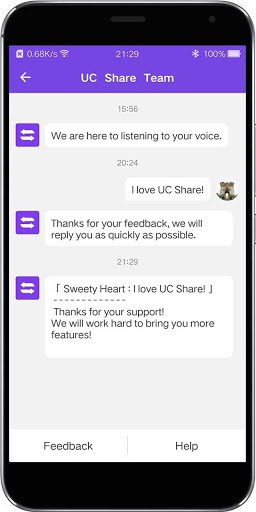
[Convenient feedback] Listen to the user’s voice
[Transmission Optimization] Faster and More Stable Transmission Experience
Additional information
UC Share – Flash speed transfer
com.ai.vshare
2.0.0.0
1,016.97 KB
50,000+ downloads
UC Share





Frequently Asked Questions
What is UC Share and how does it work?
UC Share is a free file transfer application that enables fast wireless sharing of images, music, videos, and other files between Android devices without consuming mobile data. It uses peer-to-peer technology to transfer files at speeds up to 21 MB/s by connecting devices via QR code scanning or contact selection.
How fast is the UC Share file transfer speed?
UC Share offers average transfer speeds of 5 MB/s with a maximum speed of 21 MB/s. At these speeds, you can transfer an image in 0.2 seconds, a song in 1 second, and a movie in approximately 22 seconds.
Is UC Share free to download and use?
Yes, UC Share is completely free to download and use. The application does not require any payment and shares files without consuming mobile data or cell phone signal, allowing you to transfer files anytime and anywhere.
How do I connect with friends on UC Share?
You can establish connections on UC Share in three ways: by selecting a friend's icon directly, by scanning your friend's QR code, or by choosing contacts from your phone's contact list. Once connected, you can easily view recent transferred files on your friend's profile.
What Android version does UC Share require?
While specific minimum Android version requirements are not detailed in the available information, UC Share (version 2.0.0.0) is designed for Android devices and has been downloaded 50,000+ times. For detailed compatibility information, check the app's listing or contact UC Share support.
Can I search and organize files in UC Share?
Yes, UC Share includes a file browser and search feature that allows you to locate your favorite music, videos, and pictures based on your preferences. The app prevents duplicate searches and provides quick access to file management on the ME page, where you can also view your transfer history and records.
Leave a Comment