

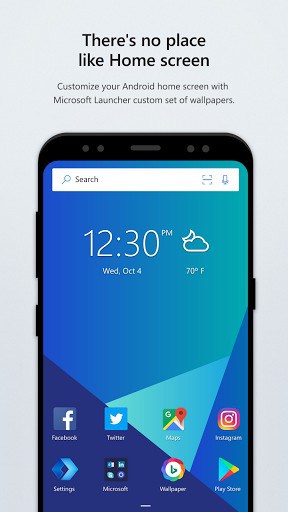
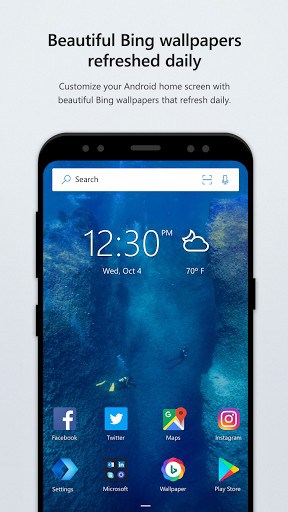
Microsoft Launcher is a free, productivity-first Android launcher that syncs with Windows and Microsoft 365 — continue work across devices, see your calendar, To Do and recent files in a personalised feed, and customise your whole home screen. Explore more launchers and personalization apps.
KEY FEATURES
· People at your fingertips. Have your most important people at your fingertips. Pin contacts to your Home screen and place them anywhere on the Home screen, dock or in folders.
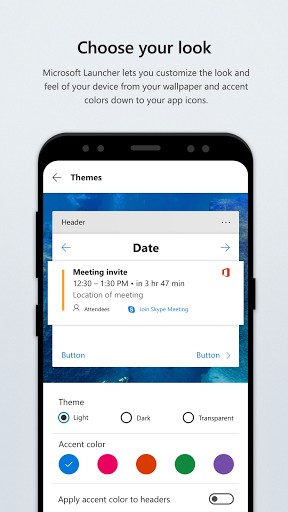
· Choose your look. Personalize the look and feel of your device by customizing your wallpaper, theme and accent colors, icon packs, gestures and more.
· Personalized feed. See your most important information at a glance like news, calendar events, docs, contacts and more in your personalized feed. You can even set your feed as your default Home.
· Continue on PC. Snap a pic on your phone and see it instantly on your Windows PC* or continue editing an Office 365 document on your PC by linking your phone with your Windows PC.
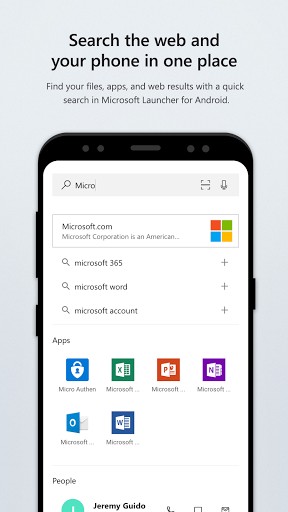
· Search the web and your phone in one place. Search the web or your files, apps, docs, messages and web results using Microsoft Launcher's universal search bar.
· Gesture customization. With deep customization for gestures, you can double tap to lock your phone, swipe up for app drawer and more.
TERMS OF USE
By installing this app, you agree to the Terms of Use (go.microsoft.com/fwlink/?LinkID=246338) and Privacy Policy (go.microsoft.com/fwlink/?LinkID=248686).
*Continue on PC usage requires a Windows PC with the latest Windows Fall Creator's Update
What’s New
Welcome to the new Microsoft launcher, a beautiful redesign of Arrow launcher
What's new in 4.1:
– Continue on PC- Share pictures or documents from your phone to your PC.
– Choose your look – Select a custom theme/accent color, and wallpaper to personalize your experience
– People at your fingertips – Pin contacts to the Home screen
– Gesture support – Set your own customer gestures!
Additional information
Microsoft Launcher
com.microsoft.launcher
6.251202.0.1175610
17.73 MB
5,000,000+ downloads
Microsoft Corporation




Frequently Asked Questions
What is Microsoft Launcher?
Microsoft Launcher is a free Android launcher (home-screen replacement) that syncs your phone with Windows and Microsoft 365 and keeps everything organised in a personalised feed. You install it, set it as your default home app, and it changes how your home screen, app drawer and icons look and work.
Is Microsoft Launcher free to download?
Yes. Microsoft Launcher is free to download and use, and the APK on this page is the original, unmodified build.
Is the Microsoft Launcher APK safe to install?
Yes. The APK on this page is the original, unmodified Microsoft Launcher build. As with any launcher, install from a trusted source and review the permissions it requests.
How do I set Microsoft Launcher as my default launcher?
Install Microsoft Launcher, open it once, then press the home button and select Microsoft Launcher as your default home app. You can switch back to your previous launcher anytime in Android settings.
Does Microsoft Launcher work on my Android phone?
Microsoft Launcher works as a standard launcher on most modern Android phones and tablets. Performance may vary on older or low-memory devices.
Leave a Comment