

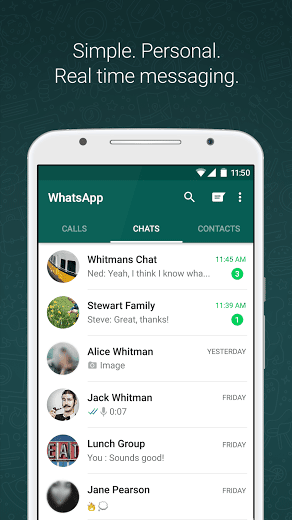

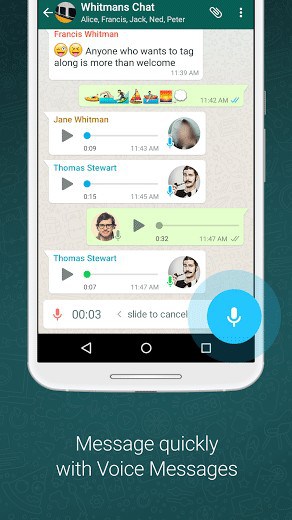
WHY USE WHATSAPP:• NO FEES: WhatsApp uses your phone’s Internet connection (4G/3G/2G/EDGE or Wi-Fi, as available) to let you message and call friends and family, so you don’t have to pay for every message or call.* There are no subscription fees to use WhatsApp.• MULTIMEDIA: Send and receive photos, videos, documents, and Voice Messages.• FREE CALLS: Call your friends and family for free with WhatsApp Calling, even if they’re in another country.* WhatsApp calls use your phone’s Internet connection rather than your cellular plan’s voice minutes. (Note: Data charges may apply. Contact your provider for details. Also, you can’t access 911 and other emergency service numbers through WhatsApp).• GROUP CHAT: Enjoy group chats with your contacts so you can easily stay in touch with your friends or family.• WHATSAPP WEB: You can also send and receive WhatsApp messages right from your computer’s browser.
• NO INTERNATIONAL CHARGES: There’s no extra charge to send WhatsApp messages internationally. Chat with your friends around the world and avoid international SMS charges.*
• SAY NO TO USERNAMES AND PINS: Why bother having to remember yet another username or PIN? WhatsApp works with your phone number, just like SMS, and integrates seamlessly with your phone’s existing address book.
• ALWAYS LOGGED IN: With WhatsApp, you’re always logged in so you don’t miss messages. No more confusion about whether you’re logged in or logged out.
• QUICKLY CONNECT WITH YOUR CONTACTS: Your address book is used to quickly and easily connect you with your contacts who have WhatsApp so there’s no need to add hard-to-remember usernames.
• OFFLINE MESSAGES: Even if you miss your notifications or turn off your phone, WhatsApp messenger will save your recent messages until the next time you use the app.
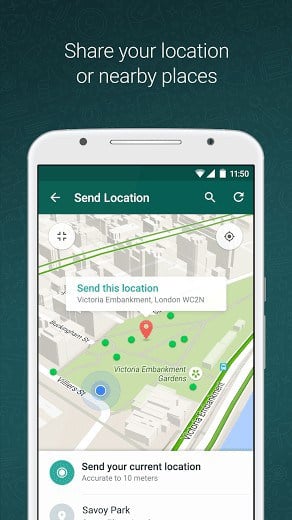
• AND MUCH MORE: Share your location, exchange contacts, set custom wallpapers and notification sounds, email chat history, broadcast messages to multiple contacts at once, and more!
*Data charges may apply. Contact your provider for details.
What’s New
• Play videos right away without waiting for them to download first. Videos will still be downloaded to your phone as the video is playing. (Android 4.1+ and only works with videos sent from the latest version of the Android app)
• Introducing WhatsApp video calling. With free video calls, you can have face-to-face chats with your friends and family around the world. Data charges may apply. (requires Android 4.1+)
• You can now send and receive animated GIFs
You may also be interested in whatscan for whatsapp
Additional information
Latest
31 MB
Android 4.0 and up
1,000,000,000 – 5,000,000,000 downloads
WhatsApp Inc.
my whatsapp is obverdue in China.whatever i try best to download still fail.
can some one tell me how to work on this app.pls
I am trying to download but nothing is done
mambwe
data
Nice one
goood
i love you all
Goooooood
Good