

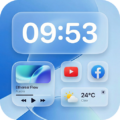
Glass Widgets adds sleek, transparent “glass”-style widgets to your Android home screen — clock, weather, battery and more — that blend into your wallpaper for a clean, modern look. Discover more widget apps and personalization tools.
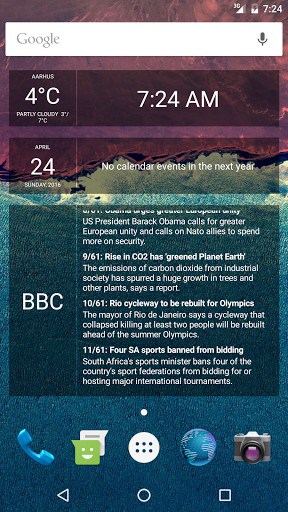
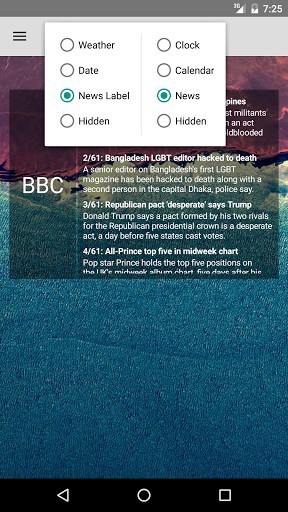
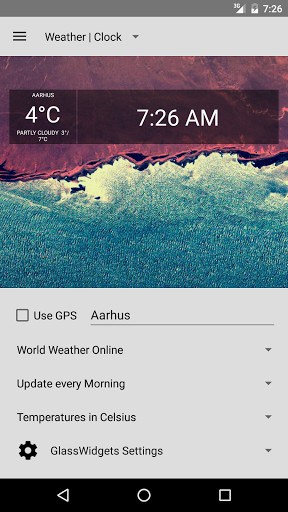
Each widget can be configured to show a mix of content, including:
* Time
* Weather
* Calendar
* News (RSS/Atom feeds and Google News)
There are two widget sizes available: The standard 4×1 and the large 4×3.
FREE & PAID VERSIONS:
All the widgets are semi-transparent, with a nice smoked glass look. The paid version will allow you to change the tint and transparency of the widgets as you wish.
FAQ:
1) I can’t find the widgets. Can you help?
The widgets don’t show up in the app-drawer. Instead, they can be found in the widget-drawer. On some devices widgets can be added by tapping and holding on an empty space on the home screen.
3) How do I change the settings for a widget?
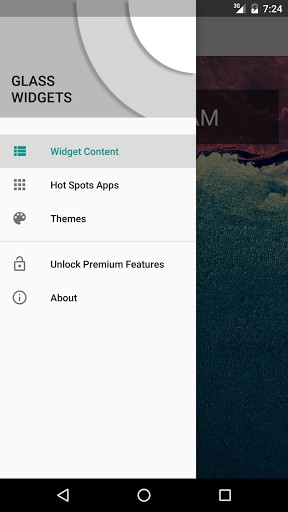
By default the widgets has two hotspots in the upper and lower left corner. If you tab the upper left corner of the widget, the setting screen for that widget will open. If you tab the lower left corner, the widget will refresh itself. You can change the hotspots to do something else in the settings screen, but I recommend keeping one of the corners assigned to open the settings.
4) The new version broke my old widgets. What do I do?
Glass Widgets recently received a large update from version 2.4.0 to 3.x.
As part of the update, the previous widgets (Clock, Calendar, News) was
replaced with just two configurable widgets, a small 4×1 widget and a large
4×3 widget. Unfortunately this also broke the old widgets, and you’ll need to
remove then from you home screen and then add new ones instead. If you run into
problems I recommend uninstalling any old versions of Glass Widgets and
re-installing the new version from scratch. If you find that the new version
just doesn’t work for you, or you prefer the old one, I’ve uploaded that
version to the Play Store under the name ‘Glass Widgets Classic.’
What’s New
– Improved handling of date fields (less fragile in the face of doze-mode and other stuff designed to limit background processes)
– Improved calendar picker
– Fixed a bug in the calendar widget that caused it to randomly show a ‘no calendar events’ message
– Settings will no longer open automatically when starting a widget with a default configuration (clock, calendar, news)
– Small visual tweaks to the widgets
Additional information
Glass Widgets
dk.nicolai.buch.andersen.glasswidgets
3.3.2
1.47 MB
500,000+ downloads
Nicolai Buch-Andersen


Frequently Asked Questions
Is Glass Widgets APK free to download?
Yes, Glass Widgets is available as a free version. A paid version is also offered, which allows you to customize the tint and transparency of the widgets beyond the default semi-transparent smoked glass look.
Where do I find Glass Widgets after installing the APK?
Glass Widgets don't appear in the app drawer. Instead, you'll find the widgets in your device's widget drawer. On some devices, you can add widgets by tapping and holding an empty space on your home screen and selecting from the available widgets.
How do I configure Glass Widgets on my home screen?
Each widget has two hotspots in the upper and lower left corners by default. Tap the upper left corner to open the settings screen for that widget, or tap the lower left corner to refresh it. You can customize what these hotspots do in the settings, though it's recommended to keep one assigned to settings.
What information can Glass Widgets display?
Glass Widgets can be configured to show a mix of content including time, weather, calendar events, and news from RSS/Atom feeds or Google News. You can add multiple widgets to your home screen and customize each one independently.
What widget sizes are available in Glass Widgets?
Glass Widgets come in two sizes: a standard 4x1 widget and a large 4x3 widget. You can add as many widgets as you have room for on your home screen.
I updated Glass Widgets APK and my old widgets stopped working. How do I fix this?
Recent updates changed Glass Widgets from multiple separate widgets (Clock, Calendar, News) to two configurable widgets. If old widgets are broken, remove them from your home screen and add the new configurable widgets instead. If problems persist, try uninstalling the old version completely and reinstalling the latest version.
Leave a Comment