

Smart Launcher 3 automatically sorts your apps into smart categories and keeps your home screen minimal and lightning fast. With its adaptive icons, flower-style app drawer and low memory use, it is a favourite for a clean, organised phone. Explore more launchers and personalization apps.
Speed up your device with Smart Launcher 3. The innovative launcher that makes your Android more intuitive and well organized. Find out why it has been downloaded by over 20 million people.
Smart Launcher 3 is completely different from any other launcher on Play Store. It's not based on the AOSP launcher.
– Low resource requirements, save RAM and battery
– Material design
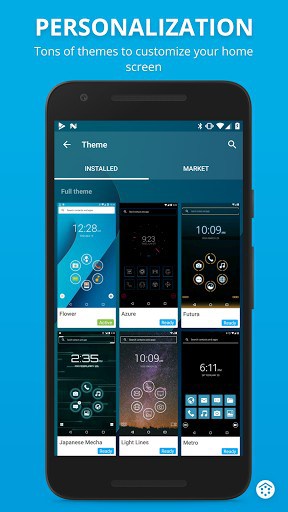
– A lot of free themes with icon packs and widgets to customize your homescreen
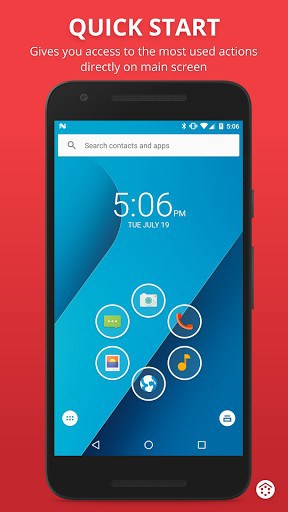
– Quick access to your favourite apps
– Double tap on an icon to start a second app
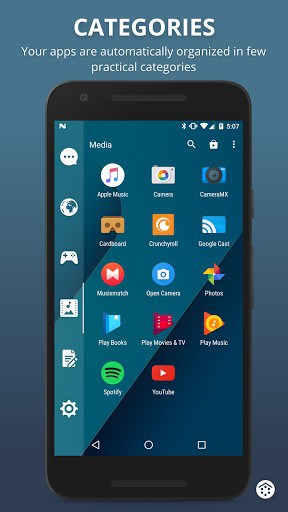
– Your apps list is automatically sorted by categories
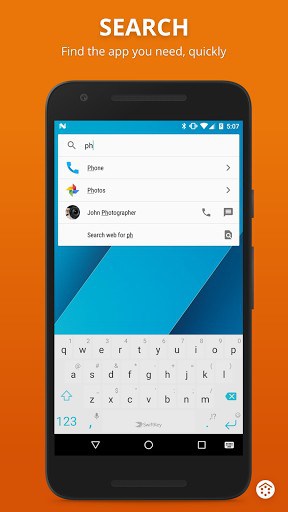
– Search bar for quick search in apps, contacts and web
– Notifications on homescreen
– Turn off the screen with a double tap or just by leaving your device on a flat surface
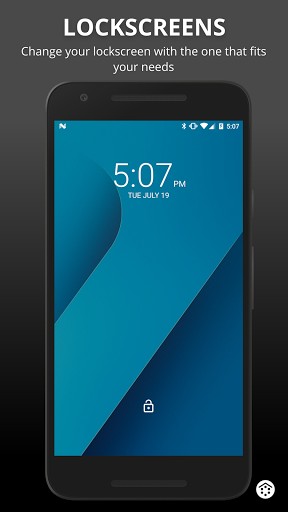
– Integrated lock screen with notifications
– Highly personalizable. Tons of themes and lock screens, support for almost all icon packs
– Plugin architecture. You can download and enable only the features you want
– Security: You can hide apps from the apps grid and protect them with password
– Optimized to be comfortably used both in portrait and landscape mode
– Runs on almost every Android device!
– Community driven development
Useful links
Join the community, become a beta tester
https://plus.google.com/communities/114803489211052363907
Watch our story
https://www.youtube.com/watch?v=700gYRkhkLM
What’s New
3.22
– New icon picker with icon suggestions
– New color picker
– Selectable font for the drawer icons
– Widget picker is now much faster
– Install a font just by opening a ttf or otf file
– Restore a backup just by opening a .slbk from file explorer
– "Dark statusbar icons" works on Huawei phones
– Many improvements for the search bar
– Animated gestures
– updated translated especially for Indonesian and Hebrew
Additional information
Smart Launcher 3
ginlemon.flowerfree
3.24.10
5.03 MB
Android 4.0 and up
Dec 10, 2016
10,000,000+ downloads
Smart Launcher Team



Frequently Asked Questions
What is Smart Launcher 3?
Smart Launcher 3 is a free Android launcher (home-screen replacement) that automatically sorts your apps into categories for a fast, clutter-free home screen. You install it, set it as your default home app, and it changes how your home screen, app drawer and icons look and work.
Is Smart Launcher 3 free to download?
Yes. Smart Launcher 3 is free to download and use, and the APK on this page is the original, unmodified build.
Is the Smart Launcher 3 APK safe to install?
Yes. The APK on this page is the original, unmodified Smart Launcher 3 build. As with any launcher, install from a trusted source and review the permissions it requests.
How do I set Smart Launcher 3 as my default launcher?
Install Smart Launcher 3, open it once, then press the home button and select Smart Launcher 3 as your default home app. You can switch back to your previous launcher anytime in Android settings.
Does Smart Launcher 3 work on my Android phone?
Smart Launcher 3 works as a standard launcher on most modern Android phones and tablets. Performance may vary on older or low-memory devices.
this app is so good about my phone thenk you
This is a vary good launcher app
This is a smart launcher ia very good apps
This Is Best App But Not Support In All Screen Wight App..
I want to enter in new smart launcher 3 for ĺatest features and free apps
good apps