

Apps can’t prevent disconnections or boost low signals.
Wifi Fixer will detect and attempt recovery when these problems are detected.
You can tune your Wifi Acess Point’s settings to minimize disconnections. Please refer to Wifi Fixer’s help documents for more information.
Current version: 1.0.5
Read Known Issues in app’s built-in documentation
For full changelog, click on the project site linked in Developer Info
Don’t use market comments for support: Please use email or project site linked in Developer Info.
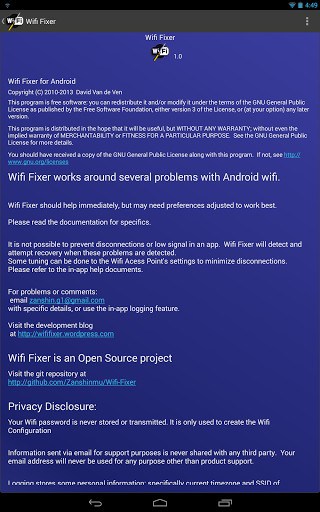
Wifi Fixer is an Open Source project.
Rooted Users: If you use a utility to revoke permissions, Wifi Fixer will crash. All are necessary and documented at : wififixer.wordpress.com/wifi-fixer/app-permissions/
Wifi Fixer has no ads and never will.
**Tasker users!** Wifi Fixer has intents you can use! See github.com/Zanshinmu/Wifi-Fixer/blob/master/wififixer/src/org/wahtod/wififixer/IntentConstants.java
Note: Location permission is required in new permissions model to receive Wifi scan results
What’s New
Bugfix: Occasional NPE in Hostup on some devices
new build tools, compat library
New HostUp engine
Bugfix for HostUp engine
Release
Additional information
Wifi Fixer
org.wahtod.wififixer
1.0.5
1.27 MB
Android 4.0 and up
Jun 6, 2016
1,000,000+ downloads
Zanshin-g1






Frequently Asked Questions
What does Wifi Fixer APK do?
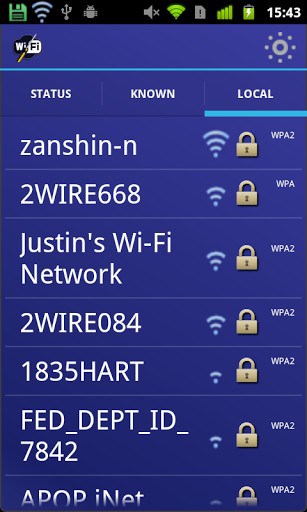
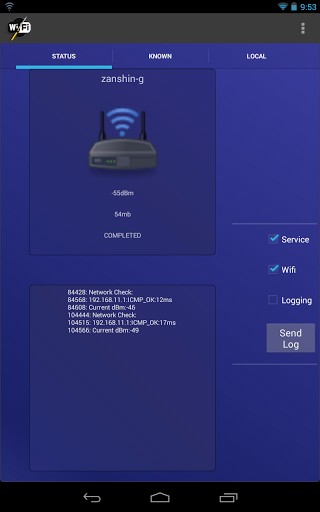
Wifi Fixer is a background service that works around several problems with Android WiFi. It detects and attempts to recover when your WiFi shows as connected but has no internet data, when known networks aren't detected, when the best network isn't being used, or when the WiFi supplicant becomes frozen or enters a failure state.
Is Wifi Fixer APK free to download?
Yes, Wifi Fixer is completely free software. It is open-source, has no ads, and never will have ads. You can redistribute and modify it under the terms of the GNU General Public License.
What Android version does Wifi Fixer require?
Wifi Fixer requires Android 4.0 and up to run on your device.
Can Wifi Fixer prevent WiFi disconnections entirely?
No, apps cannot prevent disconnections or boost low signals. However, Wifi Fixer will detect when problems occur and attempt to recover automatically. You can also tune your WiFi Access Point's settings to minimize disconnections—refer to Wifi Fixer's built-in help documentation for more information.
Is Wifi Fixer safe to install?
Yes, Wifi Fixer is safe to install. It is an open-source project and all permissions are necessary and documented. Note that rooted users who revoke permissions may experience crashes, so keep all permissions enabled. Location permission is required in newer Android versions to receive WiFi scan results.
Can I use Wifi Fixer with Tasker automation?
Yes, Wifi Fixer has intents that you can use with Tasker and other automation apps. Refer to the project's GitHub page (Zanshinmu/Wifi-Fixer) for the IntentConstants documentation.
Thank you Wifi Fixer. My Android 4.4.2 phone would not access our work wifi system because of browser login page not booting up bug never fixed by Google. After much frustration and suggestions from tech websites the only thing I found that fixed my problem was your app. Can’t thank you enough.
o yes in the background, but nothing changed
Hahahaha. So I updated my phone (never doing that again, pretty pointless) and the wifi stopped working. Put this program on the phone, wifi worked like magic. Thanks yall, took me a whole 2 minutes after screwing with this dumb phone for like 2 hours.
my wifi show disabled .i tried all method but still not working..plz help me
Thaaaanks Worked Like A Magic :))
the wifi connection is directly connected with the radio…maybe you haven´t radio in yours phone but is same: radio, bluetoth, wifi, try to find these file “modem-file” of yours devices……good-luck.
PD:i know that because i was moving or installing radio-apps then my wifi and bluetoth became broken….i fixed with a new….modem-file.
i find it in xda-developers forum,-………..sorry for my very bad english, i just want to help……….regards
MY HTC DESIRE 610 WOT CONNECT TO MY HOME WIFI OR ANY WIFI CONNECTION, IT WILL SAY “NOT IN RANGE” OR THE WIFI WONT TURN ON AT ALL. I DOWNLOADED THIS APP AND IN HELP UNDER KNOWN ISSUES IT STATED THAT REBOOTING OR FACTORY RESETTING IS A TEMPORARY FIX, IVE DONE THAT AND THE ISSUE STILL EXIST.IT ALSO STATED THAT IN ORDER TO SOLE THE PROBLEM PERMANENTLY I MUST UPDATE MY DEVICE’S SOFTWARE OR ROOT AND INSTALL A CUSTOM ROM. I HAVE ROOTED THE DEVICE AND PROBLEM STILL EXIST
Hi,
Have you found any fix for this issue
Hi
I download it. but can’t open wifi galaxy s4
the wifi alarm in app is red
Thanks..now ..my galaxy note2 wifi can open..I can fix
I downloaded the above but it says cannot open , what to do next
Working so far
This app works for a few minutes then it’s back to the same old thing. Instead of staying connected to my wifi for 5 seconds, it lasts about 5 minutes now. It’s not a bad app, but it’s not a cure
Mine is the same, not a cure at all. and still annoying
My android connects to the wifi but it doesn’t have a connection.
Maybe this apk will help :/
I’ve the same problem tell me if u knew the cause or the solution??
samsung i337 galaxy s4 at&t wifi off aftr flash 4.3
DONT use this if your mac is set to 11.22.33 etc. etc.
after rooting your android, as it won’t fix that problem
My samsung phones (model 2) wifi doesn’t turn on.what is the solution?