

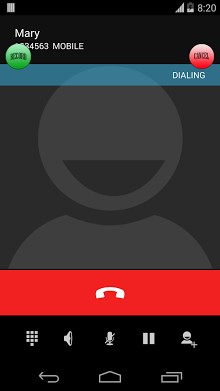
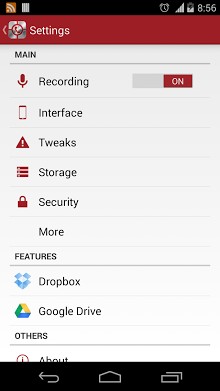
The new interface only available for ICS and above.
RMC – Record My Call has a basic purpose to record all your call (incoming and outgoing). Please be noticed that due to limitation of Android phone (hardware and software), this program only can record from microphone. Please turn on the loudspeaker during conversation to get clear voice from the other side. All conversations are recorded under file “RecordMyCall” file in memory card. Please use speaker to get a better record quality during call.
Features:
-Record incoming and outgoing call.
-All files are saved in memory card.
-Dropbox sync
-Google Drive sync
-Manual record
-Filter contacts
-Advance rename
Currently the app does not work on some phones. Please go to my website for phone compatibility (Nathanielkh.blogspot.com/2012/09/compatibility-phones.html) before install it. You can also download the apk from the same website if Android Market does not provide the link.
Permission:
Read Phone Status: Detect incoming + outgoing call
Record Audio: Record call
Read Contacts: Filtering contact (which recorded or not) + Renaming file based on contact name
Read / Write Storage: Store recording files on USB storage or SD-card
Google Account: Upload recordings to Google Drive for backup
Internet Connection: Upload recordings to Google Drive + Dropbox for backup
Bluetooth: Different action if phone connected to Bluetooth
Prevent From Sleeping: Prevent fail recording for long call
Change Audio Setting: Turn on loudspeaker by option
Thanks for the translators
Nathanielkh.blogspot.com/2013/06/rmc-translator.html







Frequently Asked Questions
Is RMC call recorder free to download?
Yes, RMC - Record My Call is completely free. You can download the APK directly from AppsApk or from the developer's website at Nathanielkh.blogspot.com if you encounter any issues with other distribution channels.
What Android version does RMC Android call recorder require?
RMC's new interface is available for ICS (Android 4.0) and above. However, the app does not work on all phones, so you should check the compatibility list on the developer's website before installing.
How do I install the RMC call recorder APK?
Download the RMC call recorder APK from AppsApk.com, enable installation from unknown sources in your device settings, then tap the APK file to install. The app will record calls automatically once enabled, with recordings saved to your memory card or SD card.
What permissions does RMC call recording app need?
RMC requires permissions for: reading phone status (to detect incoming/outgoing calls), recording audio, reading contacts (to filter and rename recordings), storage access (to save files), internet connection (for Dropbox and Google Drive sync), and audio settings management (to control the loudspeaker).
How can I improve the recording quality in RMC?
To get clear voice from the other side during a call, enable the loudspeaker. RMC records only from your phone's microphone, so using speaker mode significantly improves audio clarity and recording quality for both parties in the conversation.
Can I backup my call recordings from RMC?
Yes, RMC supports cloud backup through both Dropbox and Google Drive sync. All your call recordings can be automatically uploaded to these services for secure backup and access from multiple devices.
Unable to recorDs call and unhiden app through code realme pro3
Sirf Samsung my work karta hai hide bhi hota hai or unhide bhi es k elawa dono tarfa voice clearity bhi milti hai.
Thanks…
Code doesn’t work to open app…mi note 6 pro
mere pass oppo ka mobile h
Hide karne k baad pass code not working
please help me
Hide ka option kiu nahi aaraha hai plz helpe
dailing to passcode but not open rmc call recorder.HTC Android phone
plss help mee
Hi thanku it’s really very helpful app
Thanks good application
My calls are not recoding i need help i hv chnged all the settings
Block kyu dikha Raha hey
Cool ???? ???? ???? ???? ???? ???? and awesome ???? awesome ???? awesome ???? ???? ????
Very nice Call record.I like it app
useful call recorder
Best call recorder
thanks for the info,
currently using total recall call recorder on my micromax canvas .
Passcode enter krne ke baad bhi
App show nahi ho raha he