
ADNS is an Android app that gives you direct control over your device's Private DNS settings and also works as a full native app for managing your NextDNS account. It is for people who want fast DNS-over-TLS filtering or NextDNS management without running a background VPN service.
Developer: eyalm2000 · License: MIT (open source) · Price: Free
Before you start: for the Private DNS client mode or the NextDNS + Private DNS integration mode, you need a one-time Shizuku or ADB setup (Shizuku can also run in root mode with one tap if your device is rooted). For the native NextDNS Dashboard mode alone, you just need a NextDNS account and no Shizuku or ADB is required.
Official file from the developer's release · Nov 3, 2026 · SHA-256 74e8ef0a933371b0…
Screenshots
Key features
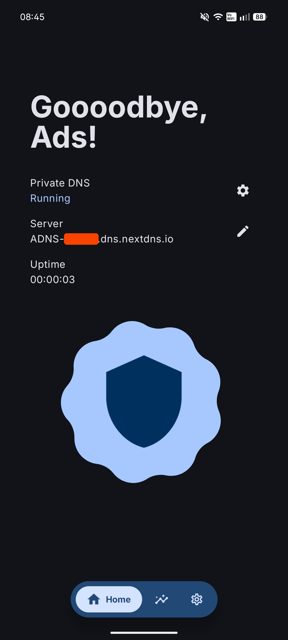
- Turn Private DNS on or off with one tap and set automatic Wi-Fi rules per network
- Quick Settings tile and state notifications to see DNS status at a glance
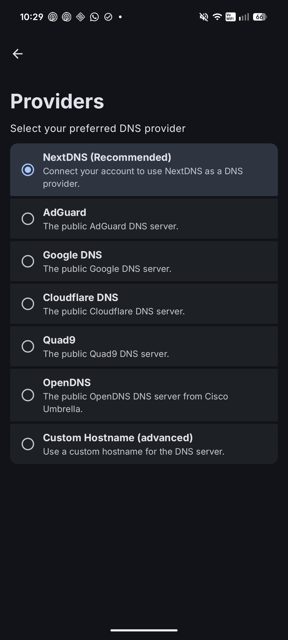
- Supports AdGuard, Cloudflare, Google, Quad9, OpenDNS, NextDNS, and custom hostnames
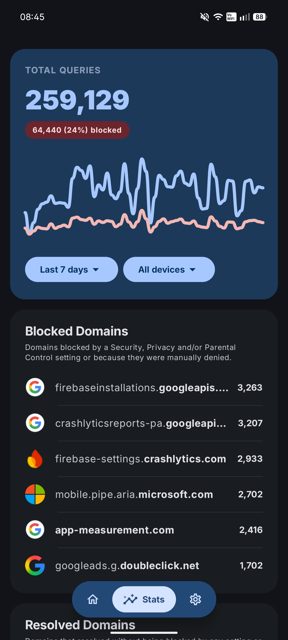
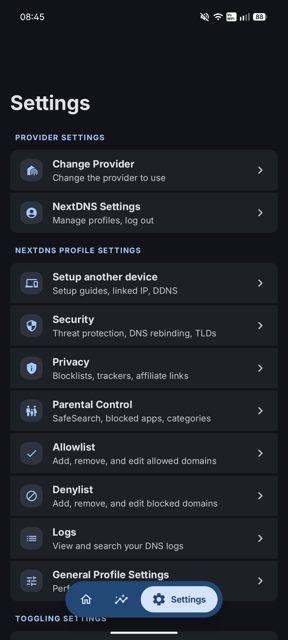
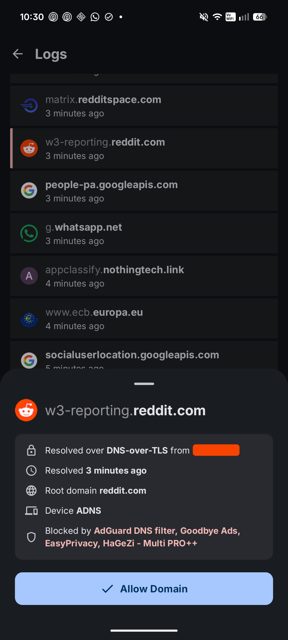
- Full native NextDNS dashboard: edit profile settings, view logs and statistics without a web browser
- Links your NextDNS account to system DNS settings with one-click profile switching and custom device names
Why isn’t ADNS on Google Play?
ADNS is published by its developer on GitHub and is also available on IzzyOnDroid; it is not distributed on Google Play.
Is ADNS safe?
ADNS is open source under the MIT license and supports reproducible builds, meaning an independent server can verify the published APK matches the public source code. The app says it collects no telemetry, your NextDNS password is used once to generate an API key and never stored, and the API key is kept encrypted on your device; the FOSS build flavor makes no external network requests besides talking to your DNS provider and NextDNS, while the normal flavor checks GitHub for updates on launch. ADNS comes straight from its developer rather than through Google Play, so it hasn’t gone through Google’s app review. As with any app, check the permissions it asks for and install it if you’re comfortable with them.
How to install
- Tap the download button above: the APK file downloads straight to your phone.
- When Android asks, allow your browser to install unknown apps.
- Open the file and tap Install.
FAQ
Is ADNS free?
Yes, ADNS is free and open source under the MIT license.
Does ADNS use a VPN to filter DNS?
No. ADNS uses Android's native Private DNS (DNS-over-TLS) engine instead of running a background VPN, so it does not use extra battery or block you from using other VPN apps.
How is ADNS different from AdAway or RethinkDNS?
ADNS does not do DNS-over-HTTPS, VPN-based filtering, or root hosts file patching. For local VPN-based ad blocking the README points to AdAway or BlockAds, and for NextDNS users who want DoH it points to RethinkDNS.
Does Shizuku need to stay running in the background?
No. Shizuku is only needed for the one-time onboarding setup. After that, the app does not use Shizuku at all.
More free apps you won’t find on Google Play: Open Source Apps · Best Android apps not on the Google Play Store.





Frequently Asked Questions
Is ADNS free?
Yes, ADNS is free and open source under the MIT license.
Does ADNS use a VPN to filter DNS?
No. ADNS uses Android's native Private DNS (DNS-over-TLS) engine instead of running a background VPN, so it does not use extra battery or block you from using other VPN apps.
How is ADNS different from AdAway or RethinkDNS?
ADNS does not do DNS-over-HTTPS, VPN-based filtering, or root hosts file patching. For local VPN-based ad blocking the README points to AdAway or BlockAds, and for NextDNS users who want DoH it points to RethinkDNS.
Does Shizuku need to stay running in the background?
No. Shizuku is only needed for the one-time onboarding setup. After that, the app does not use Shizuku at all.













Leave a Comment