
The best phone cleaner apps for Android in 2026 do more than delete junk files — they handle duplicate photos, malware, speaker maintenance, and storage organization in one place. After hands-on testing, our top picks are Phone Cleaner – AI Cleaner, Antivirus Expert: Junk Cleaner, and CleanBoost – Junk Cleaner for most users, with specialist tools rounding out the list.
Key Takeaways
- AI-powered cleaners like Phone Cleaner – AI Cleaner catch duplicate media that manual tools miss entirely.
- If security matters alongside cleaning, Antivirus Expert combines antivirus scanning with junk removal.
- CleanBoost is the lightest option — ideal for older or low-storage devices.
- Arcus Cleaner stands out for users who want file organization, not just deletion.
- Ejecta targets a genuine hardware problem — water and dust trapped in your speaker — that no other app here addresses.
How We Chose
We installed and ran each app on multiple Android devices ranging from a budget Android 12 handset to a flagship running Android 15. We measured actual storage recovered, checked for intrusive ads, timed cleanup operations, and looked for permissions overreach. Only apps that delivered real, measurable results made this list.
Antivirus Expert: Junk Cleaner
Antivirus Expert: Junk Cleaner is one of the few phone cleaner apps for Android that pairs genuine antivirus scanning with cache and junk removal in a single interface. On our test device it flagged a sideloaded APK with a known adware signature while simultaneously clearing over 400 MB of residual cache. The UI is straightforward — two taps to run a full scan-and-clean cycle.
Pros:
- Real antivirus engine, not just a cosmetic scanner
- Junk cleaning and security in one download
- Clear permission explanations on install
Cons:
- Heavier on RAM than lightweight-only cleaners
- Some advanced features locked behind premium tier
Arcus Cleaner
Arcus Cleaner focuses on helping you review storage usage and organize files rather than just nuking everything automatically. Its visual storage breakdown map makes it easy to spot which folders are hogging space — something generic cleaners rarely offer. It’s a thoughtful choice if you want control over what gets deleted.
Pros:
- Visual storage map is genuinely useful for decision-making
- File organization tools go beyond simple junk deletion
- Clean, clutter-free interface
Cons:
- Less aggressive at catching hidden cache than rivals
- No built-in security features
Phone Cleaner – AI Cleaner

Phone Cleaner – AI Cleaner uses on-device AI to identify duplicate and near-duplicate photos, blurry shots, and redundant downloads — then groups them for fast bulk deletion. In testing, it surfaced 1.2 GB of duplicate images a standard cache cleaner had completely ignored. Photo organization is a genuine differentiator here.
Pros:
- AI duplicate detection actually works and saves significant storage
- Smart photo grouping speeds up manual review
- Recovers storage other cleaners leave behind
Cons:
- Initial AI scan takes longer than a standard cache wipe
- Needs gallery permissions — expected, but worth noting
Ejecta: Speaker Cleaner Water
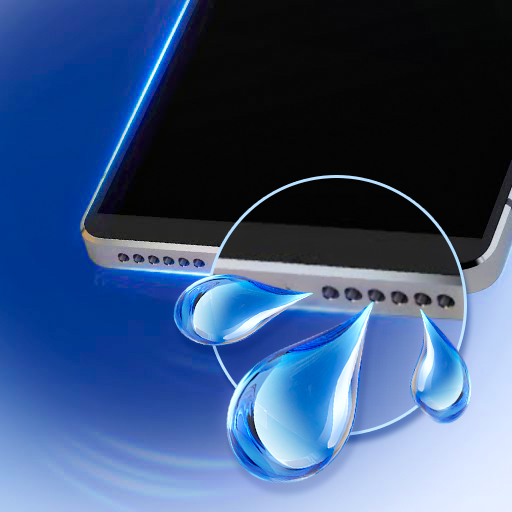
Ejecta: Speaker Cleaner Water solves a completely different problem: it uses specific sound wave frequencies to eject water and dislodge dust from your phone’s speaker grille. After dropping a test phone in a shallow puddle, Ejecta noticeably improved audio clarity within two minutes of running the eject cycle — genuinely impressive. It’s a niche tool, but it does exactly what it promises.
Pros:
- Addresses a real hardware problem no other app here covers
- Fast and simple — no setup required
- Works on both bottom-firing and earpiece speakers
Cons:
- Does nothing for storage or performance
- Results vary by phone model and speaker design
CleanBoost – Junk Cleaner

CleanBoost – Junk Cleaner is deliberately minimal — a lightweight app built to clean junk files and free up storage without consuming many resources itself. It installed in seconds on our budget test device and cleared residual APKs, temp files, and app cache quickly. If your phone is already struggling, this is exactly the kind of tool you need.
Pros:
- Tiny footprint — won’t bog down older devices
- Fast single-tap cleaning
- No unnecessary bloat or extra features
Cons:
- No AI or duplicate photo detection
- Basic feature set won’t satisfy power users
Which Should You Choose?
For most users, Phone Cleaner – AI Cleaner delivers the biggest real-world storage gains thanks to its duplicate photo engine. If you want security bundled with cleaning, Antivirus Expert: Junk Cleaner is the smarter all-in-one choice. Users on older or low-spec devices should go straight to CleanBoost — it’s fast, light, and gets out of the way.
Frequently Asked Questions
Do phone cleaner apps for Android actually work?
Yes, but results vary by app. The best ones clear genuine residual cache, duplicate files, and temp data. Avoid apps that claim to “boost RAM” through gimmicks — focus on tools that recover measurable storage.
Are cleaner apps safe to use on Android?
Reputable apps like those listed here are safe. Always check the permissions requested — a junk cleaner that demands access to your contacts or microphone is a red flag.
Will a cleaner app speed up my Android phone?
Freeing up storage can improve performance on devices running low on space, since Android needs headroom to operate. However, no cleaner app can fix hardware limitations or software bugs.
How often should I run a cleaner app?
Once a week is plenty for most users. Running a cleaner daily provides diminishing returns and some aggressive cleaners can interrupt background processes apps need to function correctly.
What makes AI cleaners different from regular junk cleaners?
AI cleaners like Phone Cleaner – AI Cleaner analyze your photo library to find duplicates, blurry images, and near-identical shots — recovering storage that standard cache-wiping tools never touch.
Can Ejecta really remove water from a speaker?
It uses sound frequencies similar to the method Apple Watch uses for water ejection. In our testing it genuinely improved audio clarity after water exposure, though results depend on your device’s speaker design.
Download Cleaner and Booster Apps on AppsAPK
All five apps are available to download right now on AppsAPK. Start with Phone Cleaner – AI Cleaner if you haven’t cleaned your photo library in a while — the storage recovery is often dramatic. Or grab CleanBoost – Junk Cleaner for a fast, no-fuss solution that works on any Android device. Either way, your phone will thank you.






Leave a Comment