


CPL (Customized Pixel Launcher) APK — Personalize Your Pixel Home Screen
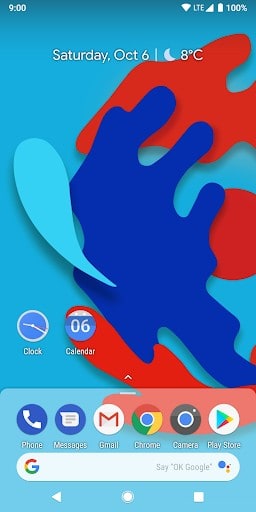
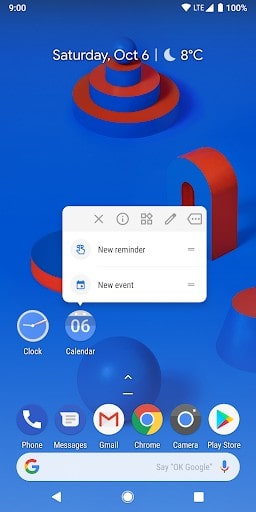
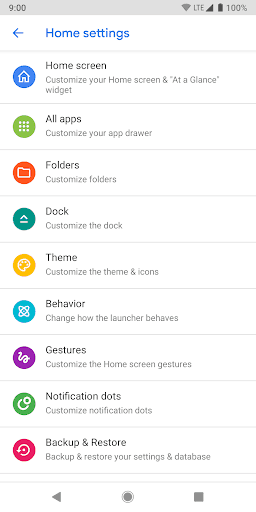
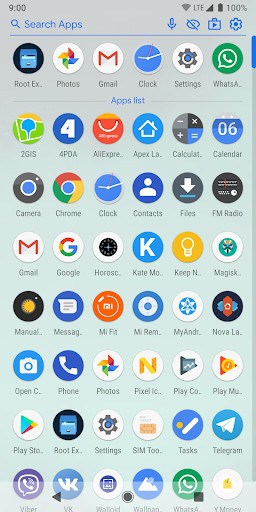
CPL — Customized Pixel Launcher brings Pixel-style launcher customization to any Android phone: custom icons, grid, search bar, gestures and at-a-glance widgets. Download the latest APK below.
1. A complete list of features, solving some problems and other useful (and not quite) information can be found on the 4pda forum:
http://4pda.ru/forum/index.php?s=&showtopic=903913
2. To enable the display of weather and Google news feeds, you need to install an additional plugin application, which can be found on the 4pda forum via the above link or on GitHub page:
https://github.com/whataudoinghere/Feed_and_Weather_Plugin/releases
3. The application was developed for devices with a ‘clean’ android, so the successful launch and operation of all functions on third-party shells (MIUI, EMUI, Samsung Experience, etc.) is not guaranteed.
4. The application requests administrator rights for the screen lock function; in some cases, prior revocation of rights is required to remove the application.
What’s New
What a time is it? It’s time to do best free launcher in a Play-Store: all exclusive settings for donators now available for everyone (rounded dock-bar settings, random color for the adaptive icon, badge placement, buttons in drawer settings, Smartspace quick actions, etc.)
Adaptive folder preview icons (Android 8+)
Fixed edit clock icon preview, now you can disable seconds arrow (Android 8+)
Fixed calendars icons, after reset to default
Colorized shortcuts
Other changes
Additional information
CPL (Customized Pixel Launcher)
ru.whatau.cpl
1.11
3.92 MB

whataudoinghere




Frequently Asked Questions
Is CPL Launcher APK free to download?
Yes, CPL (Customized Pixel Launcher) is completely free. All exclusive settings that were previously available only to donators are now available for everyone, including rounded dock-bar settings, adaptive icon customization, badge placement options, and Smartspace quick actions.
How do I install the CPL launcher APK?
Download the APK file from AppsApk.com, then enable installation from unknown sources in your Android settings. Tap the downloaded file and follow the installation prompts. Note that the application requests administrator rights for the screen lock function; in some cases, you may need to revoke these rights before uninstalling.
What Android version does CPL Launcher require?
CPL Launcher is designed for devices running clean Android. It includes features specific to Android 8+, such as adaptive folder preview icons and enhanced clock icon editing. However, successful operation on third-party skins like MIUI, EMUI, or Samsung Experience is not guaranteed.
Do I need the Google News Feed plugin for CPL Launcher?
To enable the display of weather and Google news feeds in CPL Launcher, you need to install an additional plugin application. The Feed and Weather Plugin can be found on the 4pda forum or GitHub page linked in the application documentation.
Is CPL Launcher available on Google Play Store?
Yes, CPL Launcher is available on the Google Play Store. The Play Market version includes all features previously restricted to donators, including rounded dock-bar settings, random adaptive icon colors, and customizable drawer buttons.
What are the main features of CPL launcher APK?
CPL Launcher offers extensive customization options including adaptive folder preview icons, Google news feed and weather widget support, the 'At a Glance' widget, colorized shortcuts, customizable dock and drawer settings, badge placement controls, and Smartspace quick actions. It is based on AOSP Launcher3 with improvements from the Rootless Pixel Launcher project.
Leave a Comment