
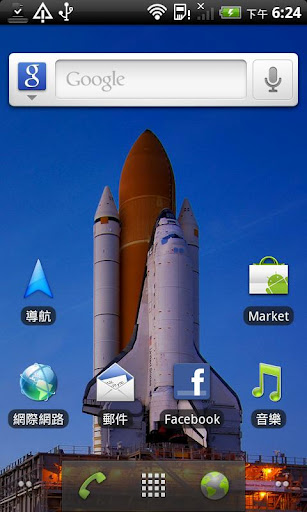
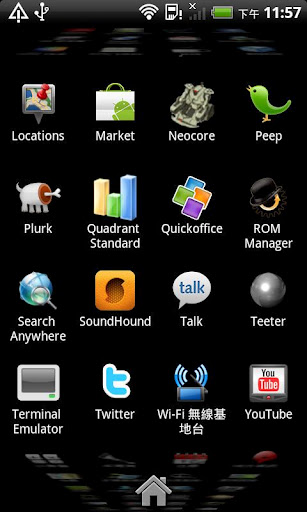
Original launcher from latest android gingerbread branch.
Get latest launcher without waiting or rooting your device.
you can find my paid version by scrolling down to bottom and click “View more applications” to buy the paid version, thanks!
Feature:
* Pure Google Experience, Refined look and feel from Gingerbread.
* Choose between 2D / 3D apps drawer. (see #1)
* High quality wallpaper from Nexus S
* Add eclair (2.1) backward compatibility (Testing)
#1 3D app drawer only work on the following condition currently
1. 3D capable device (RenderScript capable and multi-context support)
2. 480*800(most mid to high end android device) or 480*854(Milestone/Droid or other mid-to-high end device)
3. Android 2.2 Aka. Froyo
How to open launcher settings:
Long press your home screen, and click “Launcher settings” in the “Add to home screen” dialog to open launcher settings.
This is a free version, if you do like this app, please buy “Android 2.3 Launcher (Home) +” to support my work, thanks!
Also checkout free “LiveWallpaper from Gingerbread” from us. It will be a good companion to your home!
Or are you looking for gingerbread keyboard, we also have one for you. just look for “Keyboard from Gingerbread”!






Frequently Asked Questions
Is the Android 2.3 Launcher free to download?
Yes, the Android 2.3 Launcher is completely free. The content indicates this is a free version, though a paid variant called 'Android 2.3 Launcher (Home) +' is also available if you wish to support the developer.
What are the main features of the Android 2.3 Launcher APK?
The Android 2.3 Launcher offers a pure Google experience with a refined look and feel from Gingerbread, the ability to choose between 2D and 3D app drawers, high-quality wallpapers from Nexus S, and backward compatibility with Android 2.1 (Eclair).
What Android version does the Android 2.3 Launcher require?
The launcher requires Android 2.2 (Froyo) or higher. The 3D app drawer feature specifically requires Android 2.2 and a 3D-capable device with RenderScript support and multi-context support.
How do I access the launcher settings in Android 2.3 Launcher?
To open launcher settings, long press your home screen and click 'Launcher settings' in the 'Add to home screen' dialog that appears.
What devices support the 3D app drawer feature?
The 3D app drawer works on 3D-capable devices with RenderScript support and multi-context support, running Android 2.2, with screen resolutions of 480×800 (common on mid to high-end devices) or 480×854 (like Milestone/Droid).
Is the Android 2.3 Launcher available on Google Play?
The content does not mention availability on Google Play. This appears to be a standalone APK available for download, with a paid premium version also offered.
i like this web site (y) great
if by mistake lucher application was delete how to reinstall its
really it is smart site